



You can export WhatsApp Business contacts to Excel using two main approaches: manually syncing contacts through your phone's native address book and exporting from there, or using a browser-based Chrome extension on WhatsApp Web to pull contacts, group members, and labeled chats directly into a CSV or Excel file.
The fastest and most complete method for business users is a privacy-first Chrome extension like the Mastros WhatsApp Scraper. It runs entirely in your browser, so your data never touches an external server. Manual methods work for smaller contact lists but hit a wall quickly when you need bulk exports.
Here's what you need to know upfront:
- Export formats: CSV (opens directly in Excel) and .xlsx are the standard outputs
- Data columns you'll get: contact name, phone number with country code, labels, and last message detail
- Key limitation: WhatsApp has no native export feature built into the app itself, so every method is a workaround
- Privacy advantage: browser-only extensions keep your contact data on your device, not on a third-party server
- Contact types matter: WhatsApp distinguishes between device-synced contacts and WhatsApp-only contacts, which directly affects what you can export
Table of Contents
- How to manually export WhatsApp Business contacts to Excel on iPhone and Android
- Using Chrome extensions to export WhatsApp contacts and group members from WhatsApp Web
- How WhatsApp Business contact management affects what you can export
- Third-party apps designed for WhatsApp Business data extraction
- Mastros makes exporting WhatsApp Business contacts straightforward
- Key Takeaways
How to manually export WhatsApp Business contacts to Excel on iPhone and Android
WhatsApp reads your phone's address book daily, but it doesn't give you a direct "export contacts" button. The manual path runs through your device's native contacts app.
On Android (Google Contacts):
- Open WhatsApp, go to Settings > Privacy > Contacts and confirm address book syncing is on.
- Open the Google Contacts app on your phone.
- Tap the three-line menu, then Export.
- Choose vCard (.vcf) format and save the file.
- Upload the .vcf file to Google Contacts on the web, then use Export > Google CSV to download a spreadsheet-ready file.
- Open the CSV in Excel. Done.
On iPhone:
- Confirm WhatsApp contacts are synced to your iPhone's Contacts app via Settings > Privacy > Contacts in WhatsApp.
- Use a free app like iCloud to export contacts: go to iCloud.com > Contacts > select all > export vCard.
- Convert the .vcf to CSV using a free online vCard-to-CSV converter, then open in Excel.
Limitations to keep in mind:
- You only get contacts already saved to your device's address book. WhatsApp-only contacts (people you've messaged but never saved) won't appear.
- There's no way to export WhatsApp Business labels or group membership data through this method.
- For large contact lists, manually verifying which contacts are WhatsApp users adds significant time.
Pro Tip: Before exporting, go to WhatsApp Settings > Privacy > Contacts and toggle syncing off, then back on. This forces a fresh sync and catches any contacts that may have slipped through.
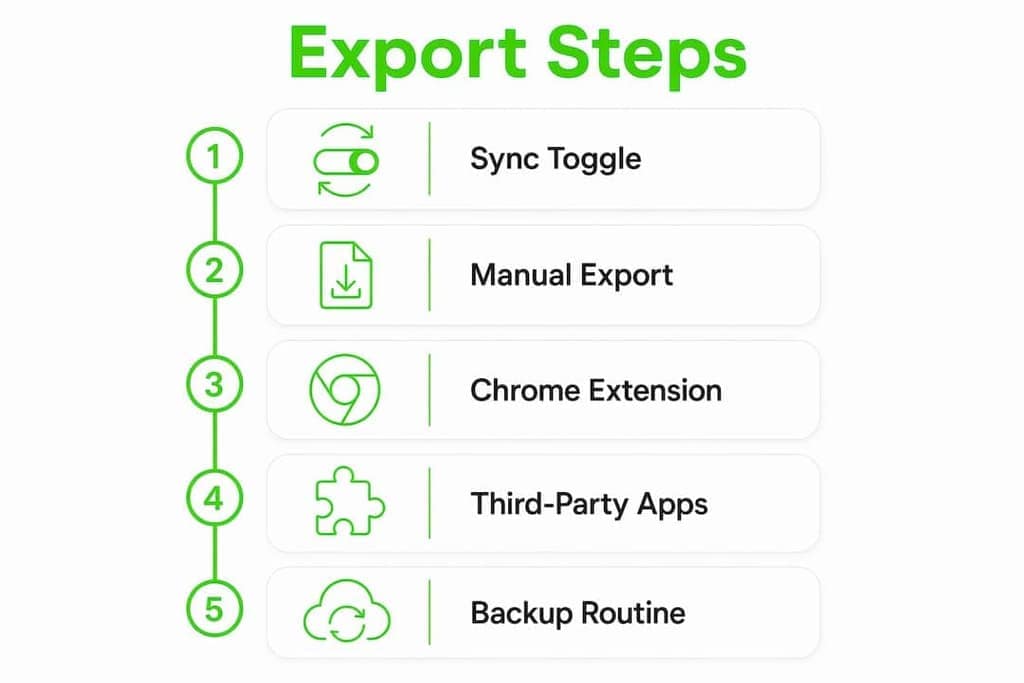
Using Chrome extensions to export WhatsApp contacts and group members from WhatsApp Web
For anything beyond a basic address book dump, Chrome extensions are the practical standard. They work directly inside WhatsApp Web, so they can see labeled contacts, group member lists, and recent chats — data that never makes it into your phone's contacts app.

The Mastros WhatsApp Scraper is built specifically for this. It operates in read-only Web Mode: no API credentials, no automation, no sending messages on your behalf.
What it exports:
- Group member names and phone numbers
- Recent contacts with last message details
- Labels assigned in WhatsApp Business
- Output in CSV, JSON, or JSONL — all Excel-compatible
Step-by-step with Mastros:
- Install the Mastros WhatsApp Scraper from the Chrome Web Store.
- Open web.whatsapp.com and scan the QR code with your phone.
- Click the Mastros extension icon in your browser toolbar.
- Choose your export target: Recent Contacts, Group Members, or Chat Messages.
- Select CSV as your output format.
- Click Export — the file downloads directly to your computer.
- Open the CSV in Excel. Column headers are already formatted.
Why browser-only matters for privacy: because the extension runs entirely in your browser tab, your contact data never leaves your device. That's a meaningful distinction from cloud-based tools that upload your WhatsApp data to process it remotely.
Common issues and fixes:
- Extension not seeing contacts: refresh WhatsApp Web and make sure you're fully logged in before activating the extension.
- Missing phone numbers: some contacts display only names if their number isn't stored with a country code. Check your address book formatting.
- Group member list incomplete: WhatsApp Web only loads visible members. Scroll through the group participant list before running the export so the extension can read all entries.
For a deeper walkthrough on pulling group member lists specifically, the Mastros guide to exporting group members covers edge cases worth knowing.
How WhatsApp Business contact management affects what you can export
WhatsApp treats contacts as either device-synced or WhatsApp-only, and that distinction shapes every export method.
- Device-synced contacts are stored in your phone's address book and backed up there. These are always exportable via manual methods.
- WhatsApp-only contacts exist only inside WhatsApp. If you delete the app or switch phones without migrating them, they're gone.
When you turn off address book syncing in Settings > Privacy > Contacts, WhatsApp prompts you to save all WhatsApp-only contacts to your phone's address book. That's a one-time migration, not an ongoing sync, so any contacts you add to WhatsApp afterward won't automatically appear in your phone's contact list unless you manually save them or re-enable syncing.
For businesses managing hundreds of customer contacts, this creates a real gap. A customer who messaged you through a WhatsApp Business link may exist only as a WhatsApp-only contact. Manual export methods won't catch them. A Chrome extension working from WhatsApp Web will, because it reads what's visible in the interface rather than what's stored in your address book.
Understanding digital contact sharing and how contacts move between platforms helps you build a sync strategy that prevents data loss before it happens.
Pro Tip: Run a Chrome extension export monthly as a backup routine. It captures WhatsApp-only contacts that your phone's address book misses entirely, giving you a complete picture of your business contact base.
Third-party apps designed for WhatsApp Business data extraction
Beyond Chrome extensions, a category of desktop and mobile apps targets WhatsApp Business data extraction more broadly. These tools typically connect via USB to your phone or access a local WhatsApp backup file to pull contact and chat data.

The trade-off is real: these apps often require access to your device's local WhatsApp backup, which means granting deeper system permissions. Some work only on Android, where local backups are more accessible. iPhone users face stricter sandboxing that limits what third-party apps can read without a full device backup.
For exporting group contacts specifically, one developer-friendly approach is exporting the group chat as a _chat.txt file and parsing it to extract unique sender phone numbers. It's more technical than a one-click extension, but it works well for large groups where many members have never been saved as contacts.
The key question to ask about any third-party app: does it process your data locally, or does it upload it to a remote server? Apps that require cloud processing introduce privacy risks that browser-only extensions avoid by design. Check the app's privacy policy before connecting it to your WhatsApp account.
Mastros makes exporting WhatsApp Business contacts straightforward
If you've read this far, you know the manual route has real limits — no labels, no group data, no WhatsApp-only contacts. The Mastros WhatsApp Scraper covers all three, and it does it without sending your data anywhere.

It's built for growth marketers, community managers, and business owners who need clean, structured contact lists fast. Install it, open WhatsApp Web, and export to CSV in under two minutes. No cloud upload, no API setup, no permissions beyond your own browser tab. The free plan gets you started; paid plans scale with your export volume. You can explore all Mastros extensions and install the WhatsApp Scraper directly from the Chrome Web Store today.
Key Takeaways
The most reliable way to export WhatsApp Business contacts to Excel is combining a monthly Chrome extension export with a manual sync backup, so neither WhatsApp-only contacts nor device contacts fall through the cracks.
| Point | Details |
|---|---|
| No native export in WhatsApp | WhatsApp has no built-in export feature; every method requires a workaround via the contacts app or WhatsApp Web. |
| Two contact types affect results | Device-synced contacts export manually; WhatsApp-only contacts require a browser extension to capture. |
| Chrome extensions are the standard | Browser-based tools like the Mastros WhatsApp Scraper export names, numbers, labels, and group members into CSV. |
| Privacy depends on where data goes | Browser-only extensions keep your data on your device; cloud-based tools upload it externally. |
| Mastros WhatsApp Scraper | Exports group members, recent contacts, and labeled chats from WhatsApp Web to CSV with no data leaving your browser. |