



The fastest way to get qualified leads from Telegram and WhatsApp right now is to export group members, chat messages, and recent contacts directly from your browser, map the output to a structured CSV or JSON file, run a quick qualification filter, and push hot leads into your CRM within minutes of user activity. No server-side scraping, no API keys required for most use cases, and your data never leaves your device.
Here's what that looks like in practice:
- Install the Mastros.online Chrome extensions for Telegram and WhatsApp
- Open your highest-intent group chats or recent contact threads
- Export to CSV or JSON with one click
- Run the quick-qualify script (see Section 5) to score each row
- Push hot leads to HubSpot, Salesforce, or Google Sheets via CSV import or webhook
Pro Tip: Don't export every group you're in. Pick two or three where you've seen real buying signals in the last 30 days. Volume without intent is just noise.
Table of Contents
- Why do messaging apps outperform web forms for lead generation?
- What data can you export from Telegram and WhatsApp?
- How should you export messaging data, and which method fits your team?
- What does the full export-to-CRM workflow look like?
- What compliance and privacy rules apply before you export or contact anyone?
- A practical checklist and CSV field template you can use right now
- Why Mastros is the right tool for this workflow
- Key Takeaways
- The part most growth teams get wrong
- Get started with Mastros exports today
- Useful sources and further reading
Why do messaging apps outperform web forms for lead generation?
Messaging apps convert better because they meet people inside conversations they're already having. A web form asks someone to stop what they're doing, fill out fields, and wait. A WhatsApp or Telegram thread is already open on their phone.
The numbers back this up. Chat-based lead capture has consistently higher conversion rates compared to static forms, showing a multiple-fold lift across modern playbooks. Chat-based capture typically achieves conversion rates of 15–25%, compared to 2–5% for static forms. And one case study found that switching from a form to a conversational flow increased conversions by 225%.
Speed compounds the advantage. 78% of customers are more likely to buy from the first company that responds. That stat has real teeth in messaging, where a reply that arrives in seconds feels natural, but a reply that arrives in four hours feels like you missed the window entirely.
78% of customers are more likely to purchase from the first company that responds. Sub-minute alerts and webhook pushes are not a nice optimization. They're the core mechanic.
The operational implication: prioritize inbound-led, real-time qualification. Set up Slack or CRM alerts the moment a high-intent export lands. Batch processing kills the speed advantage messaging gives you.
What data can you export from Telegram and WhatsApp?
The exportable data set is richer than most growth marketers expect, and each artifact maps to a specific downstream use.

| Data Type | Platform | Practical Use |
|---|---|---|
| Group members | Telegram + WhatsApp | Build prospect lists; dedupe against CRM |
| Chat messages | Telegram + WhatsApp | Extract intent signals, buying language, objections |
| Recent contacts | Telegram + WhatsApp | Identify warm contacts for outreach |
| Mutual groups | Telegram only | Gauge community overlap; prioritize shared-context leads |
| Bulk media | Telegram only | Verify identity, enrich profiles, confirm business context |
| Timestamps + metadata | Telegram + WhatsApp | Score recency; filter stale contacts |
Group members give you a prospect list with usernames and display names. Chat messages are where intent lives: look for pricing questions, feature comparisons, and timeline language. Mutual groups on Telegram tell you which contacts share community context with you, which is a strong warm-outreach signal. For analytics pipelines, Telegram data exports work well in JSONL format; for CRM import, CSV is the cleaner choice.
How should you export messaging data, and which method fits your team?
| Method | Speed / Scale | Privacy Model | Engineering Required | Output Formats | Cost / Time-to-Value |
|---|---|---|---|---|---|
| In-browser extension (Mastros) | Fast, moderate volume | Data stays local | None | CSV, JSON, JSONL | Low; minutes to first export |
| WhatsApp Business API | High scale, automated | Server-side | High | JSON | High; weeks + cost |
| Manual copy/export | Slow, low volume | Local | None | Unstructured | Zero cost, high time |
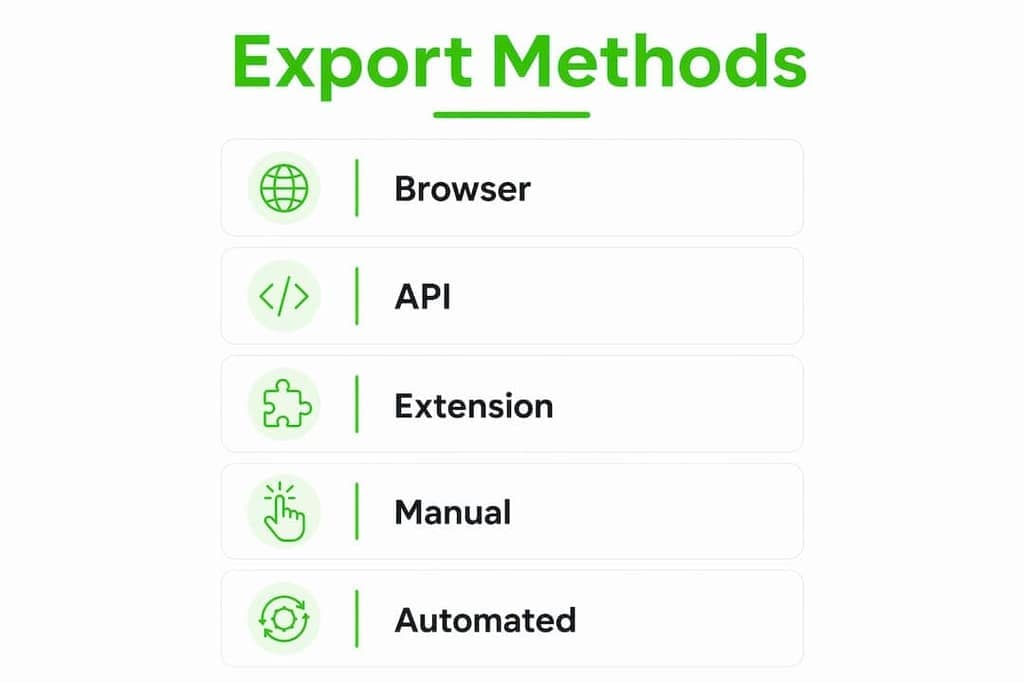
For most growth teams, the in-browser extension is the right starting point. No engineering, no API approval process, and your exported data never touches a third-party server. Telegram extraction needs no credentials at all: the engine reads Telegram's own structured data through the session you are already signed into.
WhatsApp's official API requires a formal approval process and is designed for large-scale automated sequences, not the kind of targeted, inbound-led extraction most growth teams actually need. For most use cases, read-only Web Mode is faster to deploy and lower risk.
Pro Tip: Set a behavioral threshold before you export. A contact who spent 45 seconds on your pricing page or just joined a high-intent group is worth processing. A contact who posted once six months ago probably isn't.
What does the full export-to-CRM workflow look like?
The core sequence is: export → score → enrich → route → alert. Do this within minutes of user activity, not hours.
Step 1: Export. Open the target chat in Telegram Web or WhatsApp Web. Run the Mastros extension. Export to CSV.
Step 2: Score. Apply a BANT-lite filter to your CSV rows. Flag any contact where the message thread contains pricing language, timeline references, or authority signals (e.g., "our team," "our budget"). Structured qualification flows can compress 60–80% of discovery work into short chat sequences, so map each signal to a CRM field rather than leaving it in free text.
Step 3: Enrich. Append email, company, and role from the exported contact data using a US-compliant enrichment provider. Keep a provenance_url field so you know exactly where each record came from.
Step 4: Route and alert. Push the structured CSV or JSON to your CRM via direct import or CRM webhook automation. Trigger a Slack notification or phone alert for any lead scoring above your hot threshold. For a detailed WhatsApp-specific version of this playbook, the WhatsApp lead generation guide covers channel-specific nuances.
Pro Tip: Hot leads should reach a human within five minutes. Set your Slack alert to tag the rep by name, not just post to a channel. Unnamed alerts get ignored.
What compliance and privacy rules apply before you export or contact anyone?
Always lead with inbound. If someone messaged your group or replied to your content, you have a clear interaction basis. Cold outreach to exported contacts you've never interacted with is a different situation entirely.
- Platform terms: Both WhatsApp and Telegram restrict unsolicited automated messaging. In-browser, read-only exports reduce your exposure significantly compared to API-based automation.
- CAN-SPAM: Applies to commercial email. If you're appending email addresses during enrichment, honor opt-out requests and include a clear sender identity.
- Do-not-call rules: If exported contacts include US phone numbers, check against the National Do Not Call Registry before any phone outreach.
- Data storage: Encrypt exported CSV/JSON files at rest. Don't leave raw PII in shared Google Drive folders without access controls.
- Suppression lists: Maintain a running suppression list and dedupe every new export against it before enrichment or outreach.
Pro Tip: The WhatsApp marketing best practices guide for US businesses covers consent capture and suppression list setup in detail. Read it before your first outbound sequence.
A practical checklist and CSV field template you can use right now
Implementation checklist:
- Install the Mastros Telegram or WhatsApp Chrome extension
- Open your two or three highest-intent group chats
- Export to CSV; name the file with the chat ID and date
- Run the quick-qualify filter (score column: 1–3)
- Enrich hot leads (score 3) with email and company
- Import to CRM; map fields per the table below
- Set a Slack or CRM alert for score = 3
| CSV Column | CRM Property (HubSpot / Salesforce / Sheets) |
|---|---|
name |
Contact Name / Full Name |
phone |
Phone Number |
channel |
Lead Source (Telegram / WhatsApp) |
chat_id |
Custom: Chat ID |
last_message |
Custom: Last Message Text |
timestamp |
Last Activity Date |
score |
Lead Score |
provenance_url |
Custom: Source URL |
email (enriched) |
Email Address |
company (enriched) |
Company Name |
mutual_groups (Telegram) |
Custom: Mutual Groups |
Why Mastros is the right tool for this workflow
Mastros provides two Chrome extensions that run entirely inside your browser. The Telegram extension exports group members, chat messages, recent contacts, mutual groups, and bulk media from Telegram Web. The WhatsApp extension exports group members, chat messages, and recent contacts from WhatsApp Web in read-only mode: no API calls, no automation, no outbound messaging.
Both export to CSV, JSON, or JSONL, which means your files are CRM-ready the moment the export finishes.
- Privacy-first by design: data never leaves your device
- Telegram: no credentials, no setup, one engine reading Telegram's own structured data through your signed-in session
- WhatsApp Web Mode: read-only, no API approval required, no risk of triggering automated-messaging restrictions
- Format flexibility: CSV for CRM import, JSON for enrichment pipelines, JSONL for data warehouses
Mastros is built for the workflow in this guide. Export the data, score it locally, push the hot rows to your CRM. The whole loop can run in under 15 minutes for a mid-size group.
Pro Tip: Use the Telegram B2B outbound playbook alongside your first export run. It maps specific message patterns to BANT fields so you're not scoring from scratch.
Key Takeaways
In-browser exports from Telegram and WhatsApp, combined with real-time CRM handoff and speed-to-lead alerts, consistently outperform form-based lead capture for growth teams that prioritize qualified pipeline over raw volume.
| Point | Details |
|---|---|
| Speed-to-lead is decisive | 78% of buyers favor the first responder; alert hot leads within five minutes. |
| Messaging converts 3–5x higher | Chat-based capture typically achieves conversion rates of 15–25%, compared to 2–5% for static forms. |
| Export what matters | Group members, messages, contacts, mutual groups, and timestamps map directly to CRM fields. |
| Privacy-first is the safer path | In-browser exports keep data local and reduce platform-terms risk versus API automation. |
| Mastros fits this workflow | Both Chrome extensions export to CSV/JSON/JSONL with no engineering and no data leaving your device. |
The part most growth teams get wrong
Most teams treat messaging lead-gen as a capture problem. It's actually a sequencing and handoff problem. You can have a perfect export and still lose the lead because the scoring logic is vague, the CRM field mapping is incomplete, or the alert goes to a shared inbox that nobody owns.
The teams that consistently convert messaging leads do three things differently. They map every conversational signal to a specific CRM field before they run the first export, not after. They assign a named owner to every hot alert, not a team alias. And they treat the qualification conversation as a multi-turn sequence, spreading budget, authority, need, and timeline questions across several messages rather than front-loading a form-style interrogation that kills engagement.
There's also a common mistake around timing: exporting low-intent threads because they're easy to access, then wondering why conversion rates are poor. Be selective. A group of 400 members where three people asked about pricing last week is worth more than a group of 4,000 where nobody has posted in two months.
The privacy angle matters operationally, not just ethically. In-browser exports reduce your exposure to platform-terms violations and keep your account in good standing. That's not a compliance checkbox. It's how you protect the channel that's driving your best leads.
Get started with Mastros exports today
Your next qualified lead is already in a Telegram group or WhatsApp chat. Mastros gives you the fastest path from that conversation to a scored CRM record, with no engineering and no data leaving your browser.
Install the Telegram scraper extension or the WhatsApp scraper extension, run your first export on a high-intent group, and follow the CSV template in this guide to import directly into HubSpot, Salesforce, or Sheets. The whole setup takes under 15 minutes. Start with one chat, score the output, and see what your pipeline has been missing.
Useful sources and further reading
- Lead Generation Chatbot: The Complete Guide for 2026 (conversion benchmarks, trigger timing, and chat-flow design)
- Speed-to-Lead Benchmarks 2026 | Apten: sub-minute alert standards and webhook push best practices
- Lead Gen Chatbot Playbook 2026: Flows & CRM Handoff | Hyperleap (BANT/MEDDIC-lite qualification frameworks and CRM handoff patterns)
- Why Speed-to-Lead Matters | Contractor in Charge: the 78% first-responder stat with context
- WhatsApp Lead Generation: Scale Your Sales | Reflys: platform API rules and when read-only Web Mode is the right call
- Chatbot Lead Generation: How We Tripled Conversions | Canary: real-world 225% conversion lift case study