



Privacy-first Chrome extensions are the best tool for messaging app data extraction
If you need to pull group members, chat messages, or contacts from Telegram or WhatsApp, the best tool for data extraction isn't a generic scraping API. It's a browser-based Chrome extension that runs entirely inside your authenticated web session, exports directly to CSV, JSON, or JSONL, and never routes your data through a third-party server.
Mastros builds exactly that: two purpose-built extensions, one for Telegram Web and one for WhatsApp Web, designed for growth marketers, community managers, and researchers who need clean, structured messaging data without writing a line of code.
Why browser-based extensions win for this use case:
- They operate inside your logged-in session, so they can access private group content that public scrapers can't touch
- No API credentials required at all: nothing to register, nothing to store
- Point-and-click interface: open the web app, run the extension, download your file
- Exports land on your device in CSV, JSON, or JSONL, ready for Google Sheets, Airtable, or any analytics tool
- Active maintenance keeps them working when Telegram or WhatsApp updates their web interfaces
Table of Contents
- Why browser-based extensions give you a real privacy advantage
- Who benefits most from these tools?
- How the Mastros Telegram and WhatsApp scrapers work
- Getting your exported data into your workflow
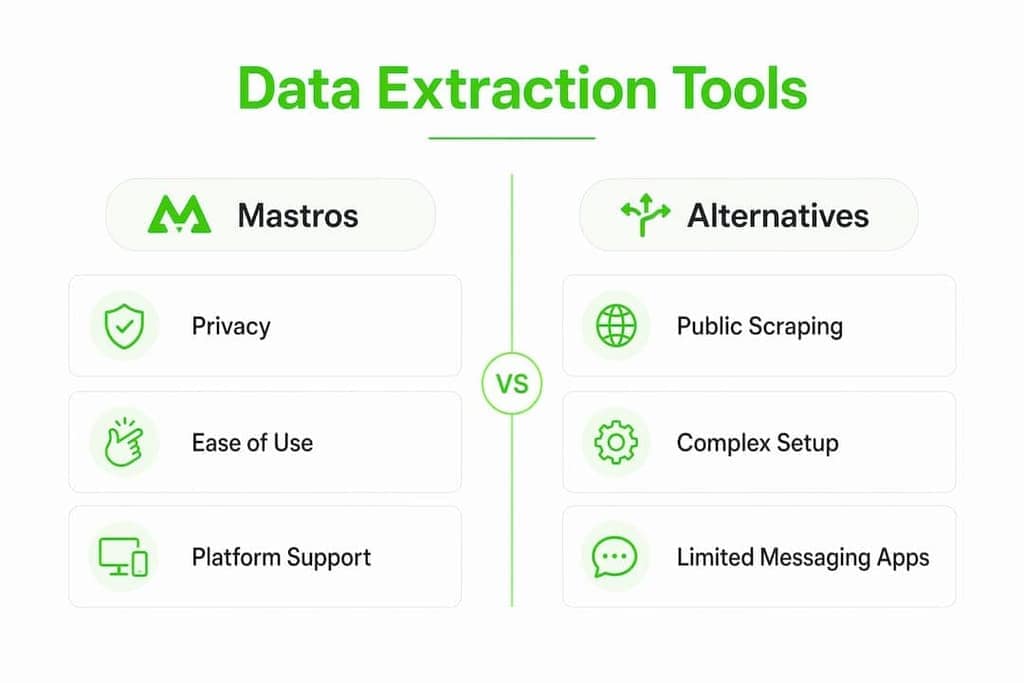
- How Mastros compares to alternative approaches
- What Mastros costs
- Legal and ethical considerations you shouldn't skip
- Support and update cadence
- Mastros is built for exactly this problem
- Key Takeaways
Why browser-based extensions give you a real privacy advantage
Messaging apps use complex, JavaScript-heavy interfaces with infinite scroll. Generic scraping APIs often struggle with this, whereas a browser extension that mimics how you actually navigate the page tends to be far more reliable.
The privacy angle is just as important. Because all processing happens locally, your chat logs and contact lists never leave your device. That matters a lot when you're handling community data or sensitive research material.
- Local processing: the extension reads data from the DOM inside your browser tab, not from an external server
- No third-party transit: your exported contacts and messages go straight to a file on your machine
- Authenticated access: private group data is visible because you're logged in, not because the tool is bypassing anything
- Format flexibility: CSV for spreadsheets, JSON for developers, JSONL for pipelines and LLM workflows
- Resilience: actively maintained tools that track UI changes outperform static scripts that break after every platform update
Pro Tip: Telegram extraction reads Telegram's own structured data rather than the rendered page, which is why it returns handles, bios and profile fields the interface never displays, with no API credentials involved.
Who benefits most from these tools?
General-purpose data extraction software is built for scraping product catalogs, news sites, or public web pages at scale. That's overkill if your goal is exporting a Telegram group's member list or pulling WhatsApp chat history into a spreadsheet.
The people who get the most out of Mastros's extensions:
- Growth marketers building outreach lists from Telegram niche communities or influencer groups
- Community managers tracking member counts, recent contacts, and engagement patterns across groups
- Researchers analyzing messaging behavior, group composition, or communication trends in social communities
- Lead generation teams exporting contacts from WhatsApp groups to feed into CRM workflows
Both extensions work on Windows and macOS via Chrome. No desktop app to install, no Python environment to configure.
How the Mastros Telegram and WhatsApp scrapers work
Elias, the founder of Mastros, built these extensions specifically to solve the gap between what messaging apps let you export natively (almost nothing useful) and what marketers and researchers actually need.

Telegram Scraper capabilities:
| Data type | What comes back | Credentials needed |
|---|---|---|
| Group members | ✓ | ✓ (richer profiles) |
| Chat messages | ✓ | ✓ |
| Recent contacts | ✓ | ✓ |
| Mutual groups | ✓ | ✓ |
| Bulk media | ✓ | ✓ |
| Export formats | CSV, JSON, JSONL | CSV, JSON, JSONL |
A single engine reads Telegram's structured data through your signed-in session, which is what makes the member profiles complete. There are no credentials to enter.
WhatsApp Scraper capabilities:
- Exports group members, chat messages, and recent contacts from WhatsApp Web
- Operates in read-only web mode: no API, no automation, no outbound messages sent
- Same CSV, JSON, and JSONL export options
- Works entirely within your WhatsApp Web session
For a detailed walkthrough of exporting WhatsApp messages to CSV, Mastros's blog covers the full process step by step.
Getting your exported data into your workflow
Once you have a CSV or JSON file, the friction is minimal. Drop a CSV straight into Google Sheets or Excel. Import JSON into Airtable or Notion. Feed JSONL into a data pipeline or an LLM prompt.
A few practices that save time:
- Dedupe on import: group member lists often contain duplicates if you've run multiple exports; most spreadsheet tools handle this in two clicks
- Add a timestamp column: label each export with the date so you can track membership changes over time
- Use JSONL for pipelines: if you're feeding data into a Python script or an AI workflow, JSONL is easier to parse line-by-line than a full JSON array
- Keep raw exports: archive the original files before cleaning, so you can re-process if your schema changes
- Update the extension regularly: Telegram and WhatsApp update their web interfaces frequently; running the latest version of the extension is the simplest way to avoid broken exports
How Mastros compares to alternative approaches
| Approach | Privacy | Messaging app support | Ease of use | Best for |
|---|---|---|---|---|
| Mastros Chrome extensions | Local only, no server transit | Telegram + WhatsApp Web | No code, point-and-click | Marketers, researchers, community managers |
| General scraping APIs | Data routed through provider | Limited, often blocked | Requires dev setup | Large-scale public web data |
| Native app export | Full local control | Basic chat backup only | Built-in, but limited | Personal archive, not structured data |
| Custom scripts | Depends on setup | Possible but fragile | High technical skill needed | Developers with specific needs |
Generic scraping platforms are genuinely powerful for public web data at scale, but they're not designed for authenticated messaging sessions. They can't access private group content, and they require significant setup for a task Mastros handles in a few clicks. Native export from Telegram or WhatsApp gives you a personal data archive, not a structured, filterable dataset.
What Mastros costs
Mastros offers free and paid subscription plans for both extensions, with pricing based on export volume quotas and feature access. Specific tier pricing is available on the product pages. Both extensions have a free entry point, so you can test the export flow before committing to a paid plan.
The Telegram Scraper and WhatsApp Scraper are sold separately, which makes sense if you only work with one platform.
Legal and ethical considerations you shouldn't skip
Extracting data from messaging apps sits in a nuanced legal space. A few things to keep in mind:
- Terms of service: both Telegram and WhatsApp have ToS that restrict automated data collection. Read them before you export at scale.
- GDPR and CCPA: if you're collecting data about people in the EU or California, you likely have obligations around consent, storage, and deletion. This applies regardless of the tool you use.
- Private vs. public groups: exporting data from a group you administer or belong to is different from scraping public channels. Know the difference.
- No outbound messaging: Mastros's WhatsApp extension is read-only. It does not send messages, which keeps you clear of the most serious ToS violations.
- Consent: for research purposes, IRB guidelines in the US generally require disclosure when human subjects data is involved. Check your institution's requirements.
The Telegram data export guide on Mastros's blog covers platform-specific limitations worth knowing before you start.
Support and update cadence
Mastros maintains both extensions actively. When Telegram or WhatsApp updates their web interface, the extensions are updated to match. That's the core reliability promise: you're not running a static script that breaks silently.
Support is available through Mastros's website. Given that both extensions are B2B SaaS products with paying subscribers, responsiveness is part of the value proposition. If an export breaks after a platform update, that's a support ticket, not a dead end.
Mastros is built for exactly this problem
Most data extraction tools are built for the public web. Mastros is built for the one place those tools can't go: inside your authenticated Telegram and WhatsApp sessions.
If you're a marketer building outreach lists, a researcher mapping community structure, or a community manager who needs clean member exports on a regular basis, Mastros gives you the fastest path from messaging app to structured data file, with no code and no data leaving your device. The Telegram Scraper and WhatsApp Scraper are both available with free plans to get you started.
Key Takeaways
For messaging app data extraction, privacy-first Chrome extensions that run locally in your browser are the most effective, accessible, and privacy-conscious solution available.
| Point | Details |
|---|---|
| Best tool category | Browser-based Chrome extensions outperform generic scraping APIs for authenticated messaging app data. |
| Privacy advantage | All processing happens locally; your chat logs and contacts never transit a third-party server. |
| Export formats | CSV, JSON, and JSONL outputs connect directly to Google Sheets, Airtable, Notion, and data pipelines. |
| Legal responsibility | GDPR, CCPA, and platform ToS apply regardless of the tool; read-only mode reduces the highest-risk violations. |
| Mastros | Offers dedicated Telegram and WhatsApp scrapers with free plans, active maintenance, and no-code operation. |