



If your job is pulling WhatsApp group members, chat messages, or recent contacts into a spreadsheet or CRM, Mastros is the clearest alternative to WA Web Plus. It runs entirely in your browser, processes everything locally, and exports directly to CSV, Excel, JSON, or JSONL (no cloud upload, no WhatsApp API approval, no sending). WA Web Plus is primarily a UI customization tool (blur effects, screen lock, auto-reply). Mastros is built for structured data extraction. Those are different jobs, and the right tool depends entirely on which one you're doing.
Table of Contents
- How do WA Web Plus alternatives compare for exports?
- How do you pick the right WA Web Plus alternative for your workflow?
- What changes when you switch from WA Web Plus to Mastros?
- How to export WhatsApp contacts or group messages with Mastros
- Pricing, quotas, and U.S. privacy considerations
- Key Takeaways
- Why export-first tools deserve their own category
- Mastros exports WhatsApp data without the API overhead
- Useful sources and references
How do WA Web Plus alternatives compare for exports?
| Dimension | Mastros | WA Web Plus |
|---|---|---|
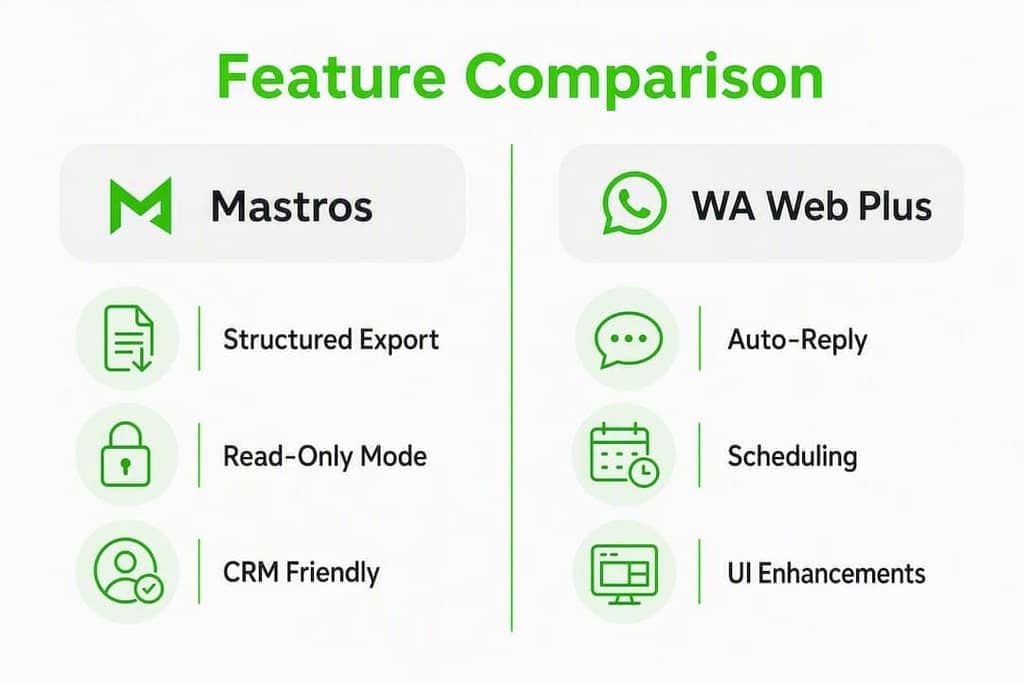
| Exports (members/messages/contacts) | Group members, chat messages, recent contacts | Limited; UI-focused, not export-first |
| Export formats | CSV, Excel, JSON, JSONL | Not a primary feature |
| Privacy & data handling | Local, in-browser only; no server upload | Extension runs locally; no structured export pipeline |
| Automation / sending | Read-only; no sending | Auto-reply, message scheduling |
| Team / collaboration | Export files shared via Sheets or CRM | Workspace-style UI features |
| Pricing & quotas | Free tier + paid monthly plans by export volume | Paid subscription; UI feature-gated |
| Platform compatibility | Chrome + WhatsApp Web | Chrome + WhatsApp Web |
| Ease of use | Install, open group, export | Install, configure UI preferences |
| Intended user | Researchers, recruiters, growth marketers | General users wanting a richer WhatsApp Web UI |
WA Web Plus is genuinely useful if you want a cleaner interface or scheduled messages. But if your workflow ends with a CSV in Google Sheets or a JSON file feeding a CRM, it's the wrong starting point. Spreadsheet-integrated export extensions remove the manual cleaning step that generic UI tools leave behind.
How do you pick the right WA Web Plus alternative for your workflow?
Start with one question: what's the bottleneck? Export and structure, bulk outreach, or CRM pipeline management? Picking the wrong category creates friction that no amount of configuration fixes.
Diagnostic questions to run before choosing:
- What file format does your CRM or analysis tool actually accept (CSV, JSON, JSONL)?
- Do multiple teammates consume the exported data, or is it just you?
- How large are your typical exports: a few hundred contacts or thousands?
- Does the data land in Google Sheets, a CRM like HubSpot or Salesforce, or a custom pipeline?
- Do you need to send messages, or only extract data?
- Does your organization have a local-processing requirement for privacy compliance?
Red flags to avoid when evaluating alternatives:
- Cloud-only uploads with no clear data-retention controls
- Per-message metered pricing (expensive for research tasks where you're reading, not sending)
- Extensions that bundle too many unrelated features (bloat increases breakage risk when WhatsApp Web updates)
- Tools that require multiple simultaneous WhatsApp Web extensions (conflict risk is real)
Must-have checks for export-first users:
- CSV and JSONL support confirmed
- Local, in-browser processing with no server-side upload
- Direct Google Sheets sync or clean CSV column mapping
- Documented export size limits and expected speed
- Clear setup docs and an accessible support channel
Pro Tip: If more than one team member will consume the exported data, prioritize tools with direct Sheets sync or a stable column schema. A shared template with CRM-mapped columns eliminates repeated manual cleaning across every export cycle.
Tools like WAWebSender are built for list-based bulk sending with rate control, useful for outreach campaigns, but not designed for structured data extraction. Similarly, platforms like Pragmaz offer CRM pipelines and visual chatbots, which is the right fit when you need automation, not when you need clean export files.
What changes when you switch from WA Web Plus to Mastros?
The practical difference shows up the moment you try to pull a participant list from a group. WA Web Plus doesn't have a structured export pipeline for that task. Mastros does.
Export coverage and field completeness:
- Group members: Mastros pulls the full member list from WhatsApp Web groups, including names and phone numbers where visible.
- Chat messages: Exports conversation history with timestamps, sender info, and message content.
- Recent contacts: Captures contacts from your recent conversations for outreach or research lists.
Format suitability for downstream tools:
CSV and Excel work cleanly for CRM imports into HubSpot, Salesforce, or Zoho. JSON and JSONL suit analysis pipelines, custom scripts, or tools that consume structured records row by row. Having all four formats available means you're not reformatting files before every import.

Privacy and read-only behavior:
Mastros operates in a read-only Web Mode. It does not send messages, trigger automations, or touch the WhatsApp API. That matters for researchers and recruiters who need to extract data without any risk of accidental outreach. Local processing also means your contact data never passes through an external server.
WA Web Plus includes auto-reply and scheduling features, which are useful for sales teams managing active conversations. But those features are irrelevant (and potentially a liability) when your job is data extraction for a research or lead-gen workflow.
| Feature | Mastros | WA Web Plus |
|---|---|---|
| Structured group member export | Yes | No |
| Chat message export with timestamps | Yes | No |
| Export to CSV/Excel/JSON/JSONL | Yes | No |
| Read-only mode (no sending) | Yes | No |
| Auto-reply / message scheduling | No | Yes |
| Local in-browser processing | Yes | Yes (UI only) |
Performance and reliability: Browser extensions break when platforms update their DOM structure. Mastros documents its WhatsApp scraper with setup guides and troubleshooting notes, which reduces downtime when WhatsApp Web changes. Extensions that mix too many features tend to break more often and take longer to patch.
WAPlus offers CRM and automation features inside WhatsApp Web, a reasonable choice when pipeline management is the goal. For pure export work, that feature set is overhead.
How to export WhatsApp contacts or group messages with Mastros
Mastros runs entirely in Chrome against WhatsApp Web (no API credentials, no server setup).
Step-by-step export:
- Install the Mastros WhatsApp scraper from the Chrome Web Store.
- Open WhatsApp Web in Chrome and confirm the extension is active in read-only Web Mode.
- Navigate to the group or chat you want to export.
- Click the Mastros extension icon and select your export type: group members, chat messages, or recent contacts.
- Choose your output format: CSV, Excel, JSON, or JSONL.
- Set any available filters (date range, media inclusion) to scope the export.
- Run the export and open the file in Google Sheets or your CSV viewer to validate the schema before importing to your CRM.
Common troubleshooting:
- Extension conflict: Disable other WhatsApp Web extensions before running Mastros to avoid DOM conflicts.
- Large-group timeouts: Split exports into smaller batches if the group has thousands of members.
- Browser memory limits: Close unused tabs before running large message exports.
- Schema drift: If column names shift after a Mastros update, re-map your CRM template before the next import.
Pro Tip: Validate one small export in Google Sheets before running a full batch. Keep a template sheet with your CRM column mappings pre-built. It turns a 20-minute cleanup into a 30-second paste.
For a deeper walkthrough, the Mastros scraper guide covers edge cases and advanced filtering options.
Pricing, quotas, and U.S. privacy considerations
Mastros runs on a free tier plus paid monthly plans, with pricing based on export volume. That model works well for researchers and recruiters who run periodic large exports: you pay for capacity, not per message read.
Quota planning tips:
- Batch large exports across multiple sessions if you're near a monthly limit.
- Schedule recurring exports (weekly community snapshots, for example) early in your billing cycle.
- Use JSONL for large datasets: it's easier to process incrementally than a single large CSV.
Privacy checklist for U.S. teams:
- Prefer local-processing tools; avoid extensions that upload contact data to external servers.
- Apply data minimization: export only the fields your workflow actually needs.
- Restrict access to exported files. Not everyone on the team needs the raw contact list.
- Document the purpose and retention period for each export dataset.
- Preserve any consent records relevant to the contacts you're exporting.
- When exporting data involving EU or UK subjects, WhatsApp data protection obligations apply even for U.S.-based teams. Involve your legal or privacy team before running large international exports.
Security signals to look for in any export tool: clear documentation stating local-only processing, no server-side upload, a published privacy policy, and in-browser operation confirmed in the extension's own docs. Mastros publishes its privacy-first approach for WhatsApp group exports.
Key Takeaways
For export-first workflows, the tool category matters more than any individual feature: pick an extension built for structured data extraction, not one that happens to include an export button.
| Point | Details |
|---|---|
| Match tool to job-to-be-done | Export/structure, bulk sending, and CRM pipeline are three different jobs. Pick the category first. |
| Local processing reduces risk | In-browser, read-only tools avoid API overhead and keep contact data off external servers. |
| Format coverage matters | CSV/Excel for CRM imports, JSON/JSONL for analysis pipelines. Confirm both before committing. |
| Validate before large batches | Run one small export and check the schema in Google Sheets before scaling up. |
| Mastros for export-first work | Mastros exports group members, messages, and contacts locally in four formats with no sending capability. |
Why export-first tools deserve their own category
Most comparisons of WA Web Plus alternatives lump together UI enhancers, bulk senders, CRM tools, and data exporters as if they're interchangeable. They're not. The decision that matters isn't which extension has more features. It's whether the extension's primary design is oriented toward your job.
WA Web Plus is a solid tool for what it does: making WhatsApp Web more comfortable to use. Auto-reply, screen lock, blur effects: those are real quality-of-life improvements for someone managing active conversations. But a researcher trying to pull a group member list, or a recruiter building a contact file from a community, needs something designed around data output, not interface polish.
The tools that get this right are the ones that treat the export file as the product. Clean column schemas, multiple format options, local processing, and clear documentation about what gets exported and what doesn't. That's a different design philosophy, and it shows up immediately when you try to do real work with the output.
Mastros exports WhatsApp data without the API overhead
If you've been patching together WA Web Plus with manual copy-paste or a bulk sender that wasn't built for structured exports, Mastros is the direct fix. It exports group members, chat messages, and recent contacts from WhatsApp Web in CSV, Excel, JSON, or JSONL, entirely in your browser, with no server upload and no WhatsApp API required.
The free tier lets you test the workflow before committing. Paid plans scale by export volume, so researchers and recruiters running regular large exports aren't paying per message. Start with the WhatsApp scraper to see the export formats and quota options, or check the lead generation playbook if you're converting exported contacts into an outreach workflow.
Useful sources and references
- Mastros WhatsApp Scraper (product page): Full feature list, supported export formats, and read-only Web Mode documentation.
- Mastros (main site): Pricing plans, product overview for WhatsApp, Telegram, and LinkedIn exporters.
- Mastros WhatsApp Group Exporter Guide: Privacy-first guidance and best practices for group data exports.
- Mastros WhatsApp Scraper Chrome Extension Guide: Step-by-step setup and troubleshooting for the WhatsApp scraper.
- SheetWA (WA Web Plus alternative review): Hands-on comparison of spreadsheet-integrated alternatives to WA Web Plus.
- WASheet (spreadsheet-first alternative): Overview of bulk-send and Sheets-logging approaches as an alternative model.
- Pragmaz (professional alternatives overview): Covers CRM-pipeline and automation-focused alternatives for teams that need more than exports.
- WAWebSender (bulk sending alternative): Details on list-based sending tools and how they differ from export-first extensions.
- WAPlus (CRM extension): Feature overview of a CRM and automation-focused WhatsApp Web extension.
- WhatsApp GDPR compliance guide: Data protection obligations for WhatsApp exports, relevant for U.S. teams handling international contacts.